
Stable release
WebMAKER 0.2.0
Windows x64 EXE and MSI are public. The installers are unsigned; Git for Windows with Git Credential Manager is required for GitHub operations.
Your digital home
Build and manage your club website.
A customizable static club site with three themes, shared sports data and a Windows Studio that can create, clone, edit and publish a club through GitHub Pages.

What it does
Guided Create Club workflow with no manual source clone
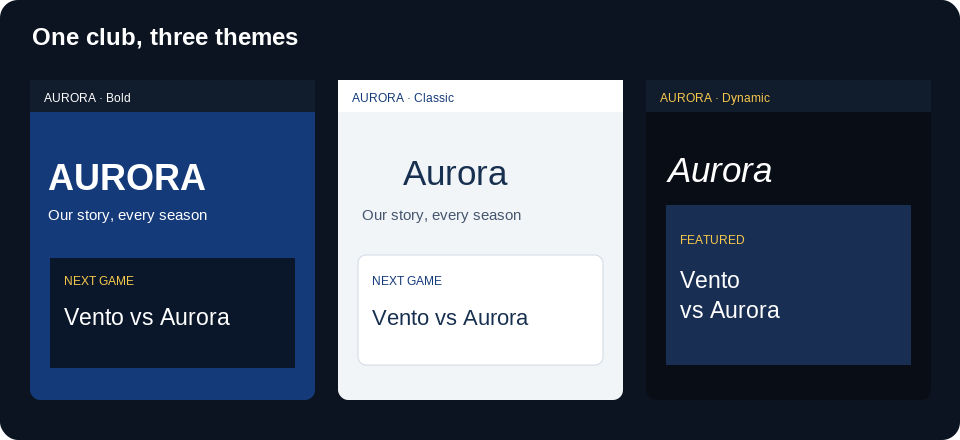
Basketball or football with Bold, Classic and Dynamic themes
Optional public GitHub repository and Pages setup
Clone a remote club or open an existing local project
Get the software
Windows installers appear here only after a release includes a verified executable asset.
Stable release
Windows x64 EXE and MSI are public. The installers are unsigned; Git for Windows with Git Credential Manager is required for GitHub operations.
English prerelease
Source code and Windows installer available; the installer is unsigned.
First public prerelease
Source code and Windows installer available; the installer is unsigned.
Progress by version
How to use it
WebMAKER Studio 0.2.0 is a stable Windows release. Its guided Create Club workflow can build and publish a clean club project without asking a normal user to clone the WebMAKER source. The diagrams below are illustrations using the fictional Aurora Sport Club.
For users
Create a basketball or football club from Studio, optionally publish it to a public GitHub repository, then keep the content and design up to date without working in the WebMAKER source repository.
Download WebMAKER Studio 0.2.0 for Windows ↗. The installer is unsigned, so Windows may show an Unknown publisher notice. An alternative MSI package ↗ is also available.
Install Git for Windows with Git Credential Manager before using GitHub features. Git is optional if you only create and edit a local club. Studio does not place a personal access token in the project.
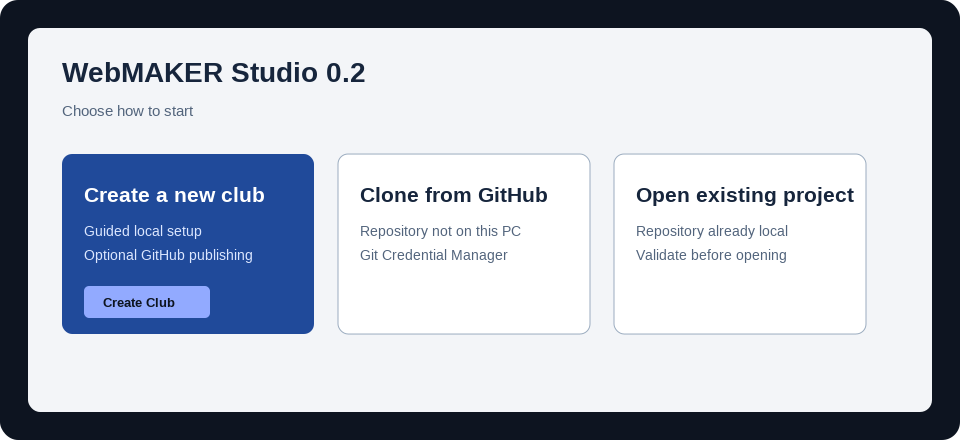
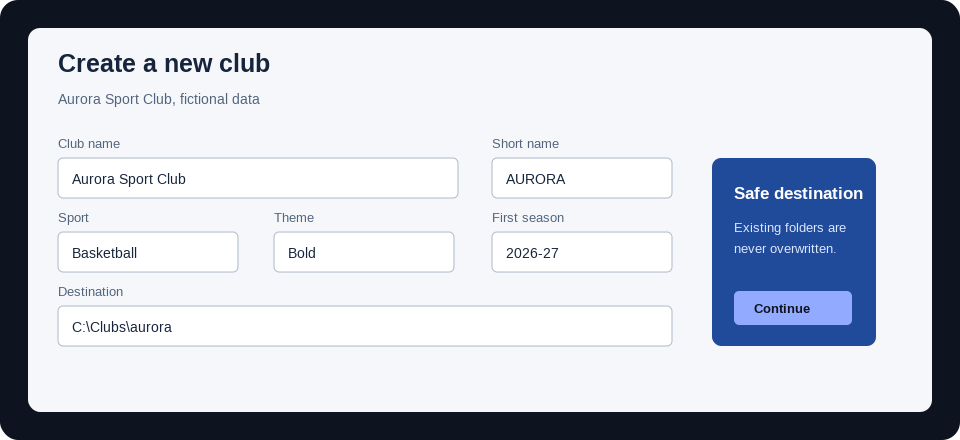
Open Studio and select Create a new club. Enter the club name, short name, basketball or football profile, Bold, Classic or Dynamic theme, first season, folder name and destination. Studio will never overwrite an existing destination folder.
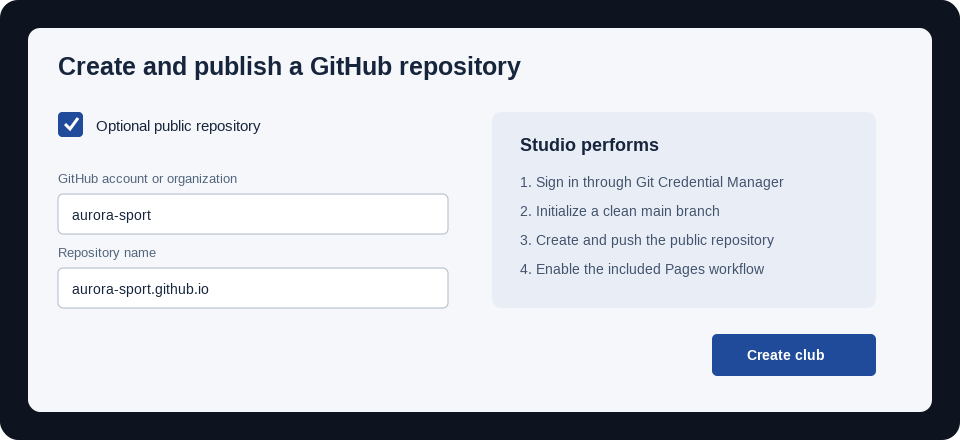
Select Create and publish a GitHub repository if the club should go online. Sign in through the browser window opened by Git Credential Manager, choose the GitHub user or organization, and enter the repository name. This release creates public repositories only. An organization may require additional policy approval.
Select Create club. Studio creates the local project, initializes a clean main branch, creates the public repository, pushes the project and enables the included GitHub Pages workflow.
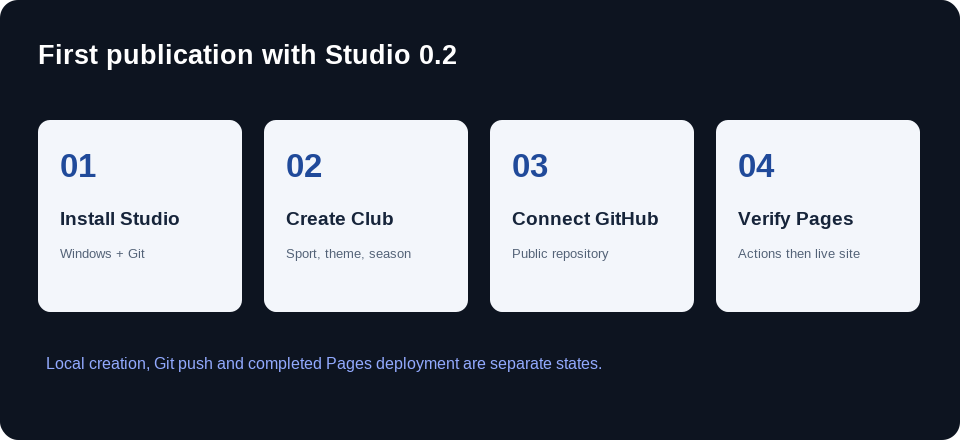
A successful push does not mean deployment is complete. Open the repository on GitHub, wait for the Pages workflow in Actions to finish, then open and check the public site. Local creation remains useful if the optional remote step fails.
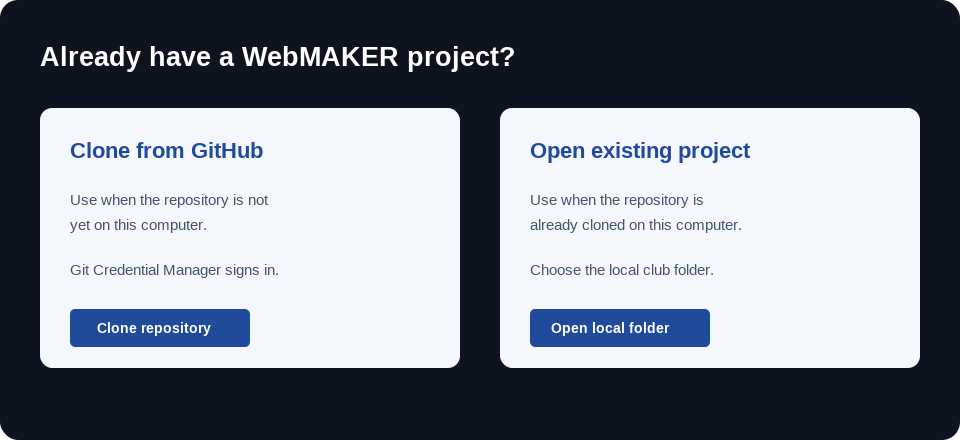
Choose Clone from GitHub when the WebMAKER repository is not yet on this computer. Choose Open existing project when the repository has already been cloned locally. Studio validates the project before opening it.
Use Studio to update the club identity, logo, colors, sport profile, theme, teams, players, rosters, seasons, competitions, games, results and news. Publish only media you have permission to use.
For AI assistance, provide only the relevant configuration and synthetic examples. Review every diff and run the project tests before publishing. Never put credentials, private player information, personal information about minors or unlicensed media into a prompt.
For contributors & developers
The source workflow remains available as an advanced alternative. Normal Studio users do not need these commands.
Install Node.js 22 or newer and Git. The initializer creates an independent club project with fictional data and its own Pages workflow.
git clone https://github.com/PlayMAKER-apps/webmaker.git
cd webmaker
node scripts/init-club.mjs ../my-clubUse fictional fixtures. Run site tests and builds, Studio tests and Rust tests before proposing a change. The repository README lists the current Windows build prerequisites.
cd site && npm ci && npm test && npm run build
cd ../studio && npm ci && npm test && npm run build
cargo test --manifest-path src-tauri/Cargo.tomlCheck existing Issues, fork the WebMAKER repository ↗, create a focused branch and open a pull request. Keep real club media, credentials and private player data out of commits. WebMAKER is Apache-2.0 and retains its NOTICE attribution.
Keep stable IDs and TagMAKER-compatible roster paths. Review changes against the shared PlayMAKER schema ↗, and provide nondestructive migrations when a stored format changes.
WebMAKER in use
A real club site using the WebMAKER pilot for news, fixtures, results and statistics.
Built in the open
The WebMAKER repository includes the bundled club starter, three themes, Studio source, format notes, tests and Create Club guide.